How does a digital company do industrial design? OpenAI’s first physical product
A modest $230 keypad offers an early, low-stakes look at how the AI company thinks about physical objects, before its more ambitious hardware plans.
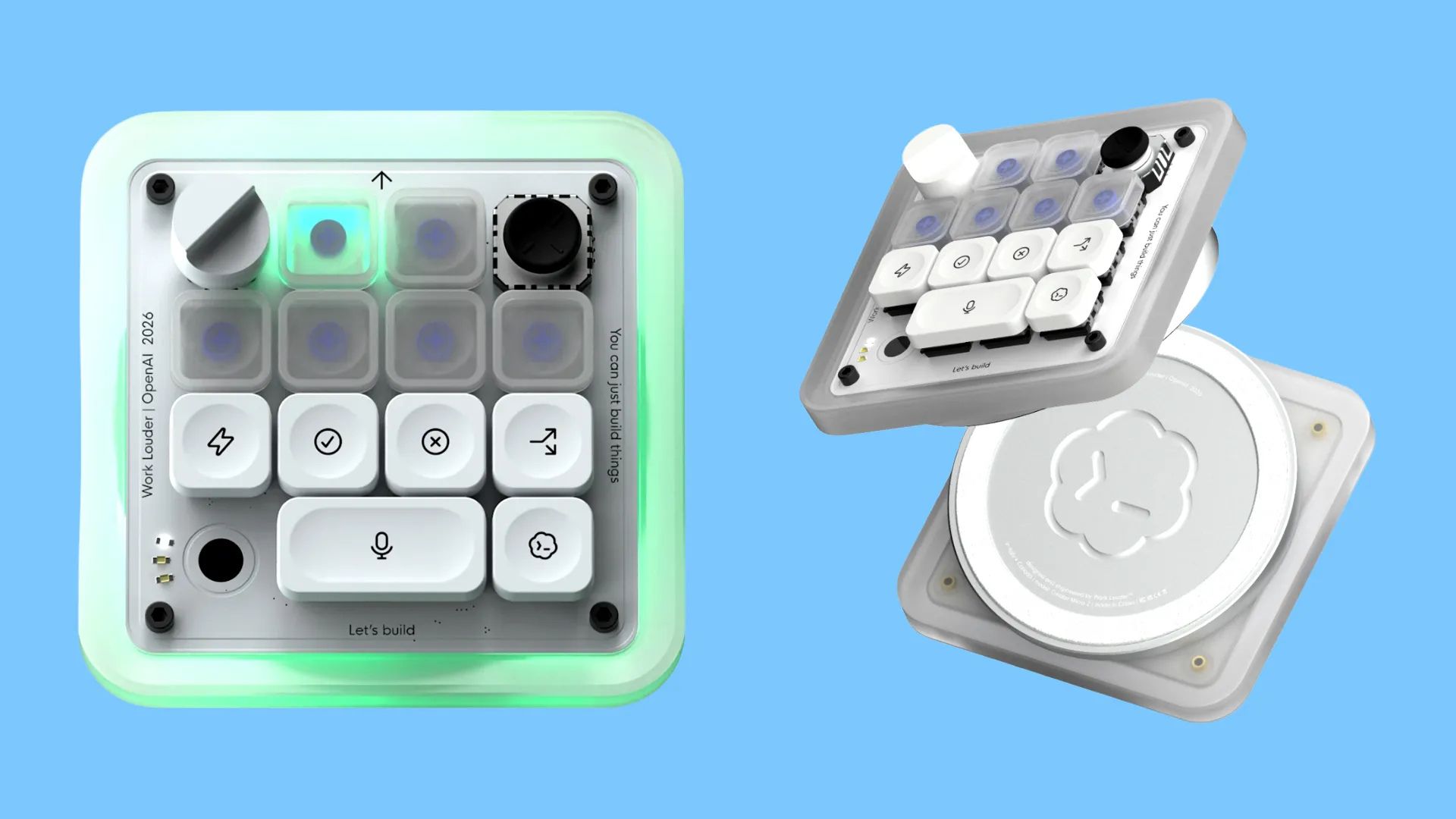
On July 15, 2026, OpenAI released its first piece of branded hardware: not the long-rumoured AI companion device it has been developing with former Apple design chief Jonathan Ive, but a compact keypad built in collaboration with specialty keyboard maker Work Louder.
It’s called the Codex Micro, and it is developed specifically for coders who use OpenAI’s Codex agents and language model, allowing them to send over tasks more quickly and improve management. While a keyboard has always been the interface between a human’s work and a machine’s execution, this device is inverting the relationship: the machine is now producing the literal work, and the human’s job is supervisory.
Gallery
Open full width
Open full width
Codex Micro
How it works
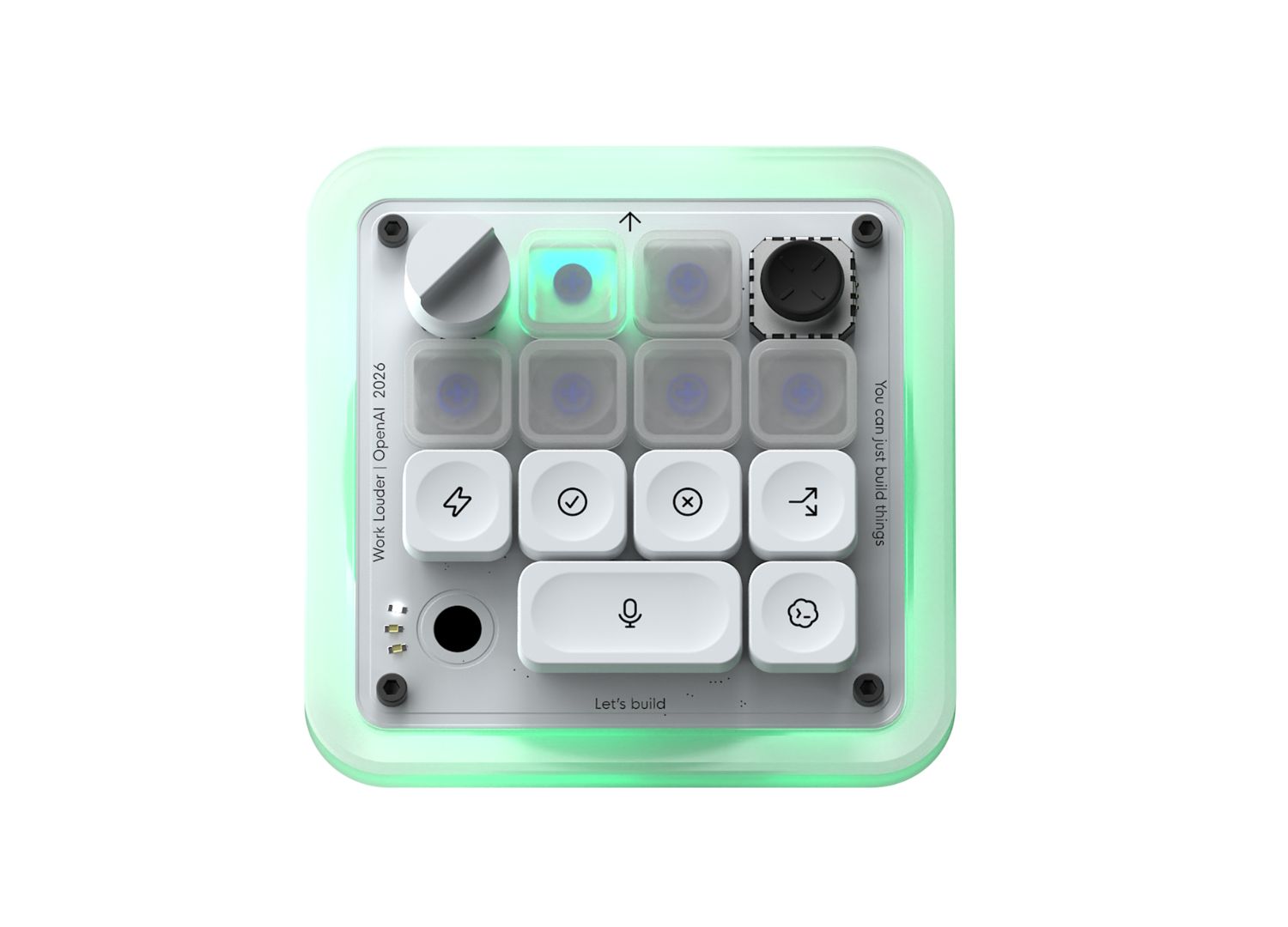
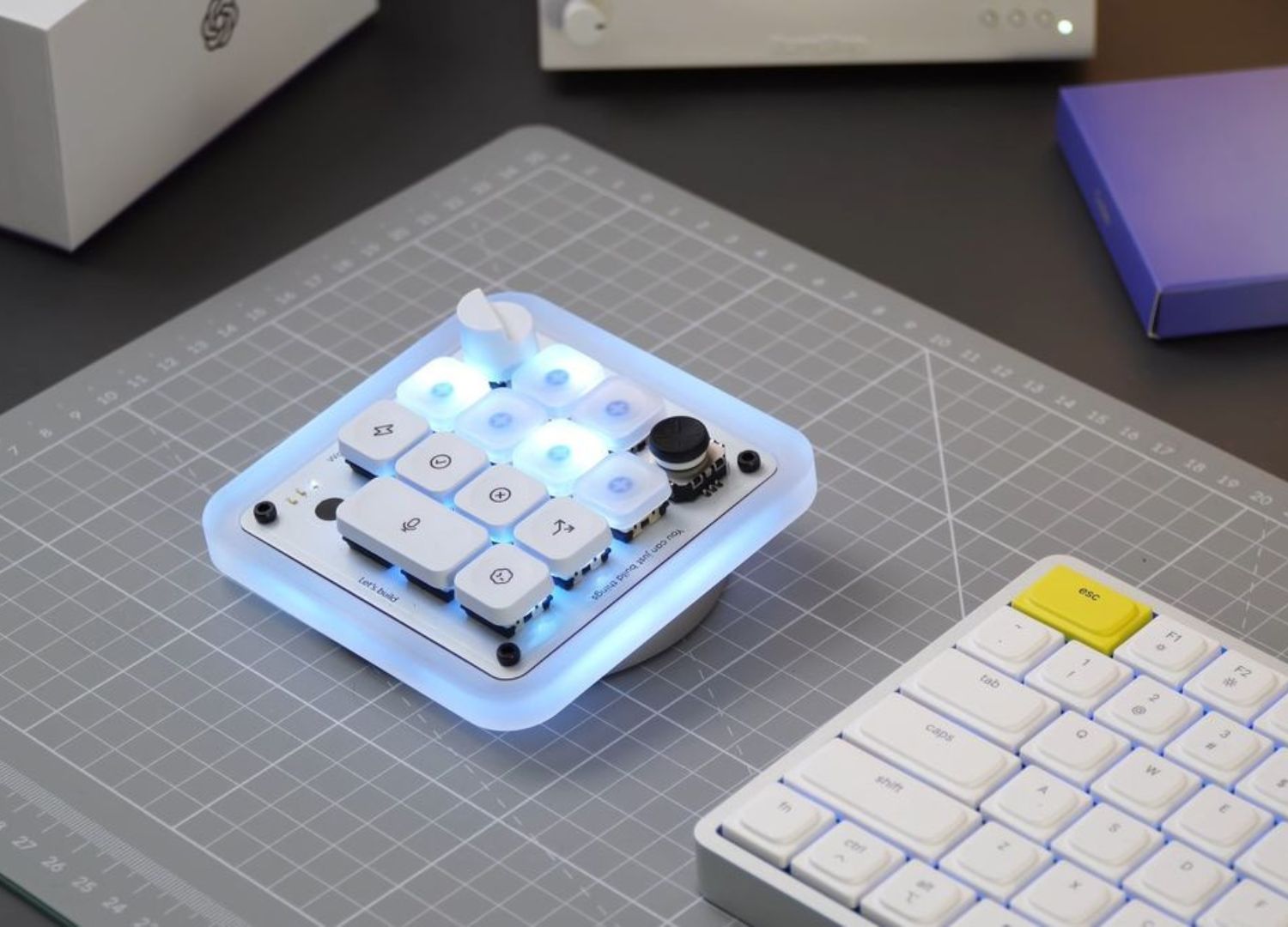
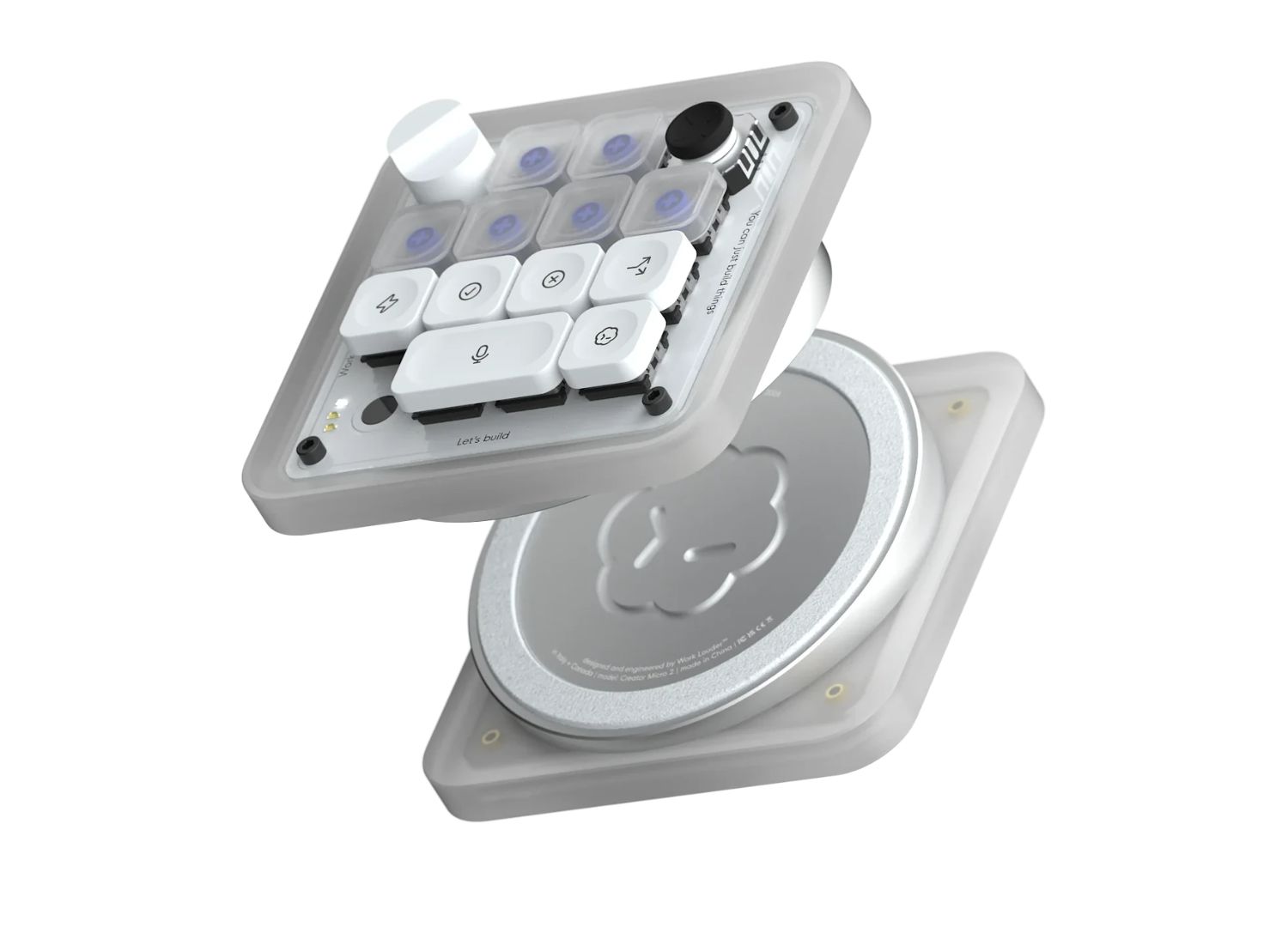
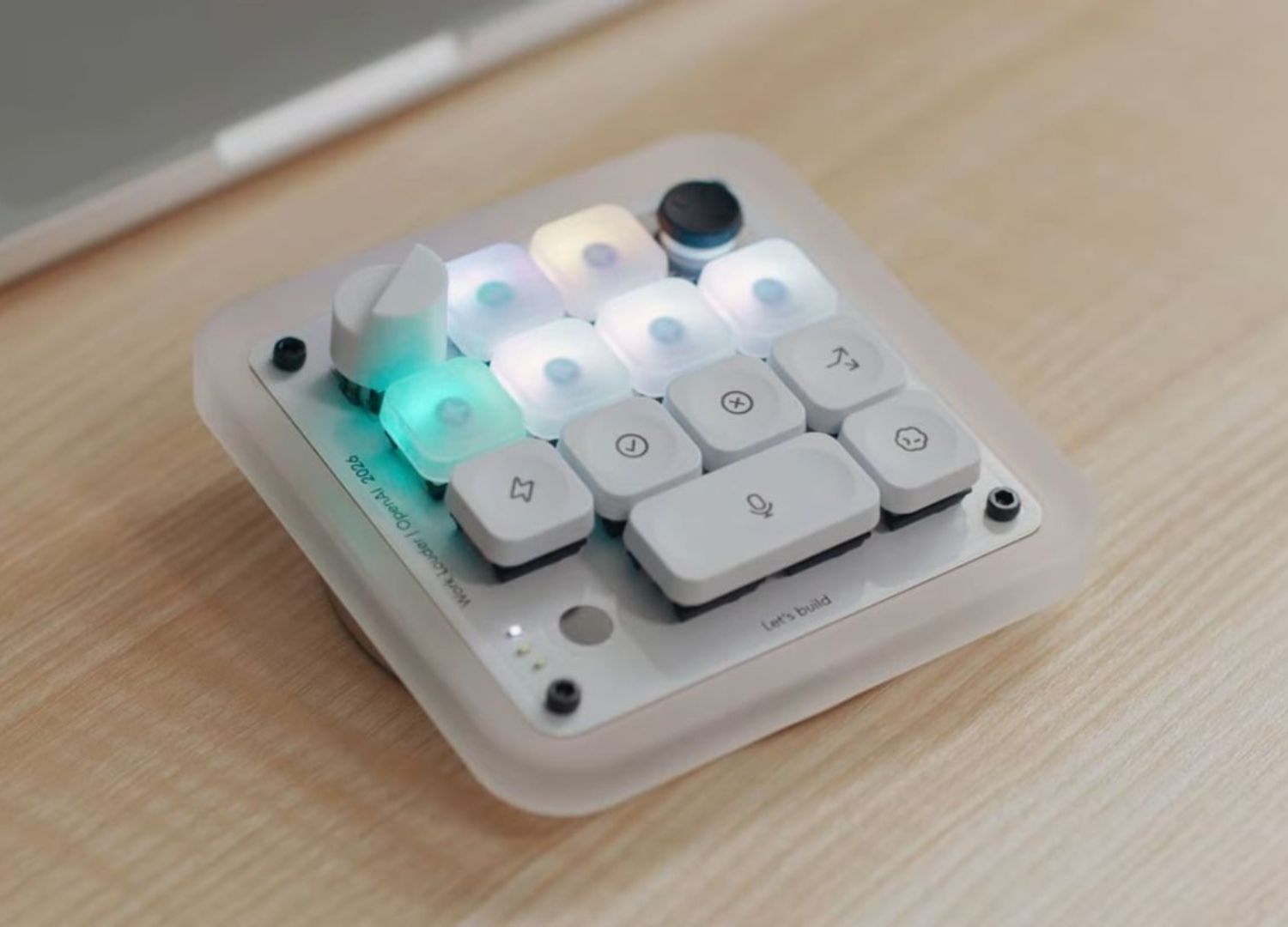
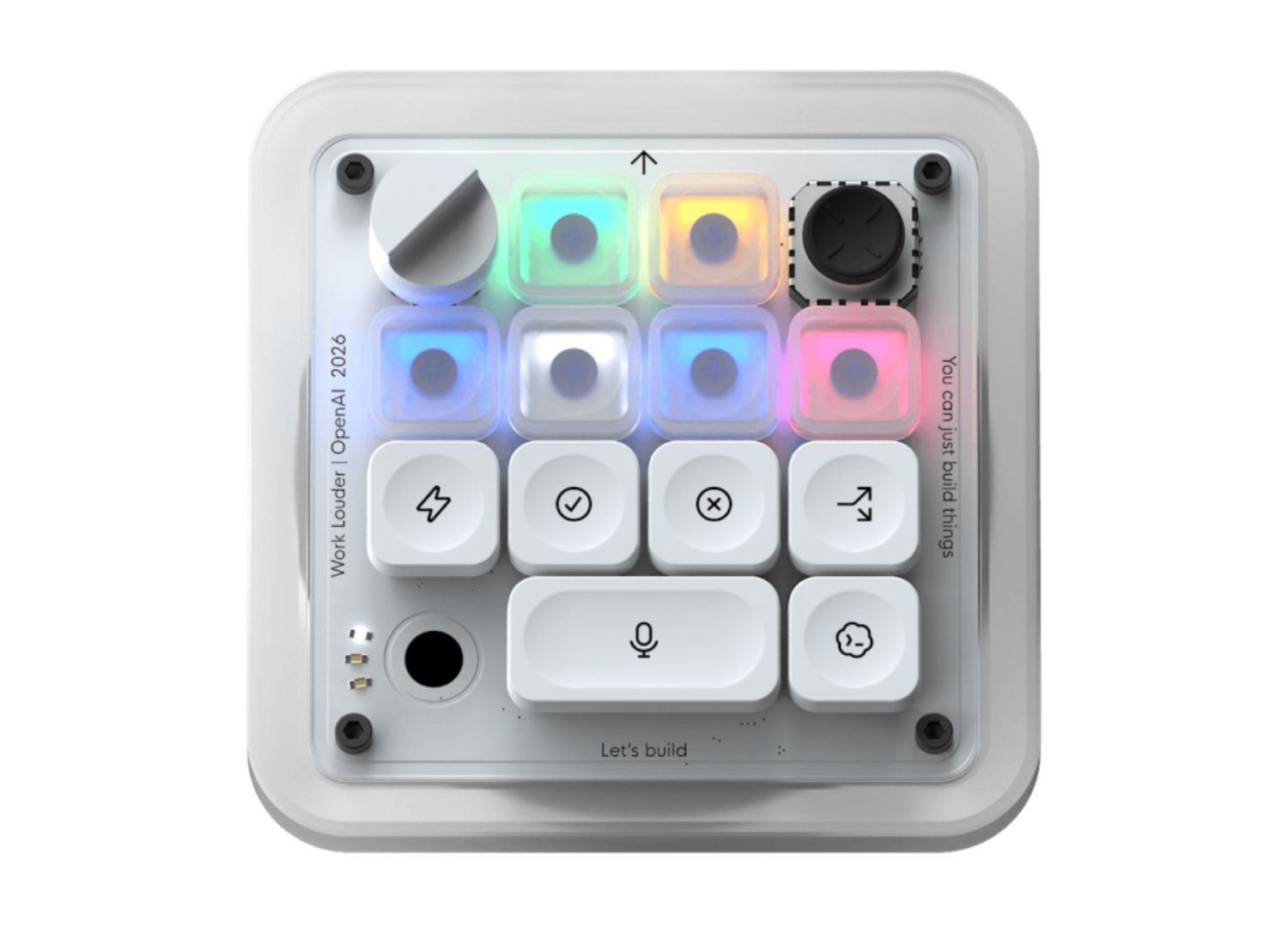
The device is structurally a macro pad built for shortcuts, featuring 13 mechanical switches along with a joystick, rotary dial, and touch sensor. It is built from CNC polycarbonate and aluminium, with a sandblasted anodised bottom, it connects over Bluetooth or USB-C and works on Mac or Windows.
The functionalities of the device have three parts. First, a bank of what are called Agent Keys, which light up with a live RGB status from Codex, so users can check with just a glance whether a given agent is idle, thinking, running, or waiting on you, without opening the app. Second, a set of programmable Command Keys mapped to the actions developers use the most when chatting to agents, like the simple accept or reject. Third, a joystick and a rotary dial for more analogue control, where the joystick is used to launch common Codex workflows, while the dial lets a user adjust the agent’s “reasoning level” according to simple or complex tasks.
The Work Louder partnership
Work Louder is a small, niche maker of programmable macro pads built for streamers, editors, and other creative professionals who need physical shortcuts to streamline their workflow. The Codex Micro’s chassis is drawn directly from the company’s Creator Micro line, which already offered mechanical keys, a joystick, dials, and touch control well before OpenAI got involved.
Rather than engineering a keypad from scratch, the AI company partnered with a team that had already spent years refining their design approach, similarly to when Figma partnered with the same company to produce its custom keypad. This isn’t OpenAI’s breakthrough entry into industrial design, it’s closer to a limited-edition collaboration with borrowed manufacturing.
Where is Jonathan Ive?
While many developers may be happy about Codex Micro’s release, the design world has been waiting for the much-talked-about collaboration with Ive, which is supposed to take form as a screenless companion device. So, why release this keypad now if such an important project was on the way?
The release was surprising to the tech market, especially as it arrived weeks after OpenAI’s CEO of Applications reportedly told staff not to be distracted by “side quests”, which makes a limited-run novelty keyboard a strange thing to greenlight.
The Codex Micro looks less like a product launch and more like an experiment: a cheap, low-risk way for the company to learn what it’s like to design, manufacture, ship, and support a physical object, activating supply chains, warranties, customer service, and all the unglamourous logistics of releasing a product into the world, in order to prepare before it has to do all that with a device carrying vastly higher expectations and stakes.